airender vs Interior AI: one makes the prettier picture, one makes a shopping list
Interior AI makes some of the most photorealistic renders and virtual staging on the market. airender does the thing it doesn't: turns the look into a buyable room. Here's the honest breakdown, with web-verified 2026 prices.
Short answer. Interior AI is the better render tool: more photorealistic output, dedicated virtual staging, 55+ styles, and up to 25,000 designs a month, built for pros and agents. airender is the better tool if you intend to actually buy anything: every item in the redesign is a real, in-stock product with a live price and buy link, with a running total for the whole room. Interior AI costs $49 to $199 a month for pictures; airender is $19/mo or $75 once for pictures plus the shopping list.
01 / The verdict
The 30-second verdict
Interior AI, built by Pieter Levels, is one of the original AI room tools and still one of the most photorealistic. It renders a photo in about 25 seconds, ships a dedicated virtual-staging mode with furniture removal, and spans 55+ styles across 40+ room types. If your goal is a magazine-grade picture or a listing-ready staged shot, it delivers.
The problem starts the moment you like what you see. Interior AI's output is a picture of furniture that does not exist as a product - no brand, no price, no store. You're left reverse-image-searching a rendered sofa. That gap between "inspired" and "bought" is exactly what airender was built to close: the redesign is assembled from real, in-stock listings, so the after-image comes with an itemized, buyable list and a running total.
55+Styles Interior AI offers across 40+ room types, per interiorai.com
$2,123Starting total of a real 11-item airender living room list, known before you buy
~60sairender goes from photo to a fully buyable redesign in about a minute
Pricing note. Interior AI's plans, verified on interiorai.com in 2026, are Pro $49/mo, Premium $99/mo, and Ultra $199/mo, with 6+ months free on annual billing (Pro works out to about $29/mo). There is no lifetime option. Confirm current pricing at checkout before subscribing.
02 / The gap
Render quality vs. a buyable room: which one do you actually need?
Every AI room tool answers the question "what could this room look like?" Interior AI answers it beautifully. Almost none, Interior AI included, answer the question you actually have next: "what do I buy to make it look like that?" That's the line that separates the two tools in this comparison.
Render-only tools (Interior AI)
Buyable-room tools (airender)
Output
A photorealistic image
An image + itemized product list
The furniture
AI-generated, doesn't exist as a product
Matched 1:1 to real, in-stock listings
Prices
Unknown
Live prices per item + room total
Next step after "I love it"
Reverse-image-search each item, hope
Click the buy links
Budget control
None
Swap any item for a cheaper alternate; total updates live
Ships to you?
N/A - nothing to ship
Localized: your currency, retailers that deliver to your country (70+ supported)
Best for
Pro renders, staging, marketing a space
Actually furnishing the room
Neither approach is wrong. If you're marketing a space or staging a listing, a photorealistic render is the deliverable, and Interior AI is excellent at it. But designers cost about $99 an hour on average precisely because someone has to convert a look into a purchasable plan, and that conversion step is the entire value gap between these two tools.
03 / Head-to-head
Interior AI vs. airender, tool by tool
Same brief for both: upload a room photo, get a redesign back. Here's how each one actually handles it, reviewed on its own terms before the scorecard at the end. Interior AI leads because it's the incumbent and the stronger renderer; airender follows because the shopping list is where it pulls ahead.
Interior AI is one of the originals in this category, built by indie developer Pieter Levels (of Nomad List and Photo AI). Upload a photo and it re-renders the space in about 25 seconds, with some of the most photorealistic output on the market thanks to its Hyper Realism engine. It also ships a dedicated virtual-staging mode, furniture removal, Sketch2Image, and 3D walkthrough video. If your goal is a magazine-grade picture or a listing-ready staged shot, it delivers.
Key features
Photo-to-render in about 25 seconds
Hyper Realism engine, top-tier output
Dedicated virtual staging + furniture removal
55+ styles across 40+ room types
Sketch2Image and 3D walkthrough video
Commercial license on every paid plan
Pros
Best pure render quality of the two - genuinely photorealistic
Huge style and room-type range, plus high render volume for pros
Cons
The furniture in the render doesn't exist - no brands, prices, or links
Subscription-only, and the top tier runs $199/mo
Built for agents and pros, so a homeowner pays for volume they won't use
Why it wins its lane. Nothing here makes a more convincing, listing-ready picture. For photorealism, virtual staging, and sheer output volume, Interior AI is the category's render benchmark.
"The most photorealistic AI interior renderer I have used." - common Interior AI review sentiment
Free (watermarked) · $49-$199/mo · from ~$29/mo yearly
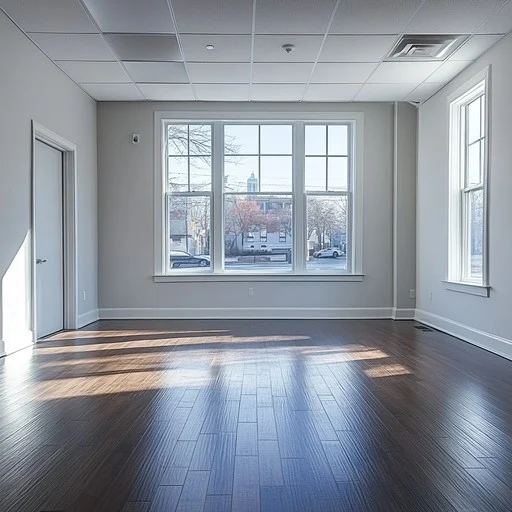
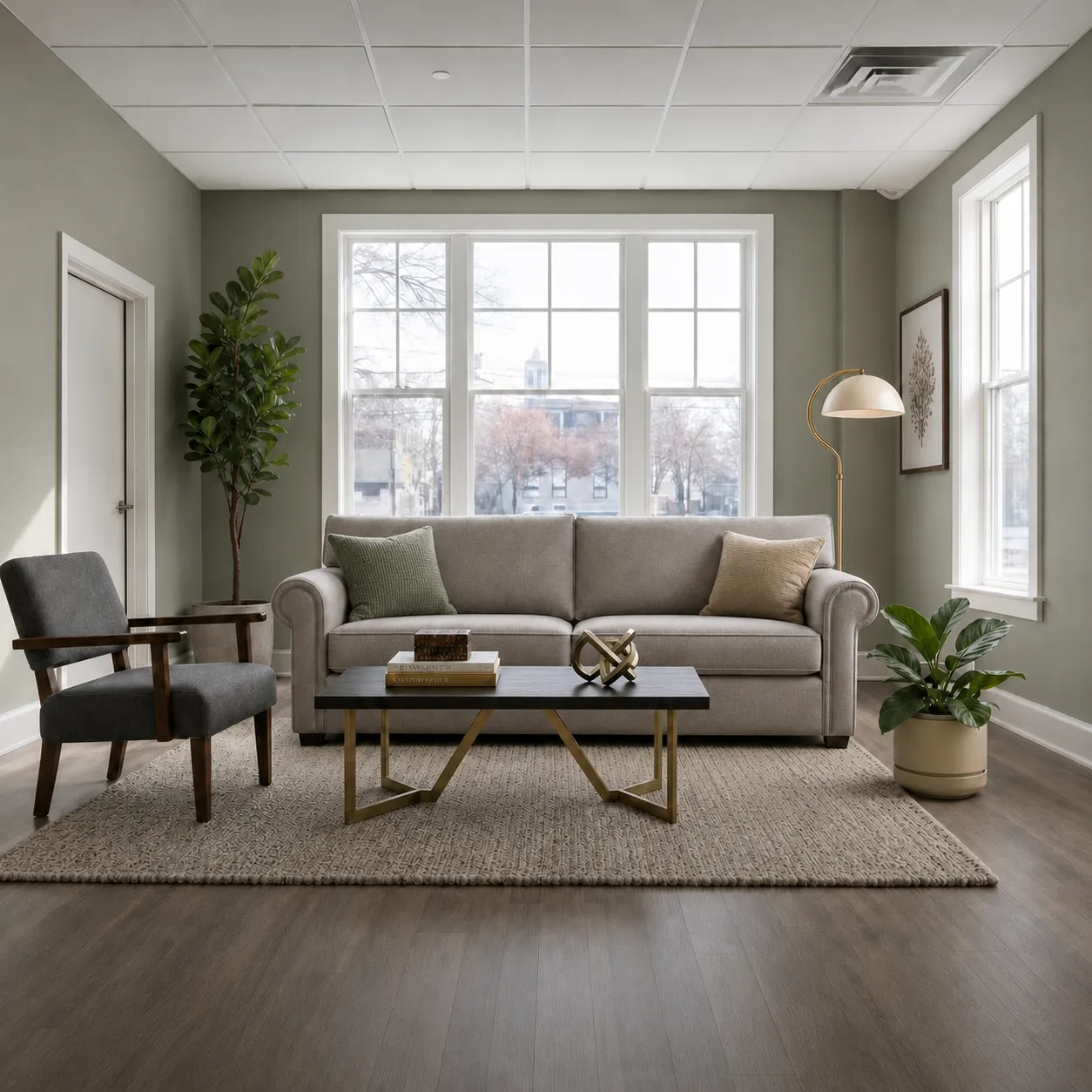
airender runs the same photo-to-redesign flow, then does the part Interior AI leaves to you: it matches every piece in the result to a real, in-stock listing - live price, working buy link, localized to whichever of 70+ countries you're shopping from - and keeps a running budget total for the whole room.
Real "shop this look" list
US$2,123-US$5,161 · 11 items
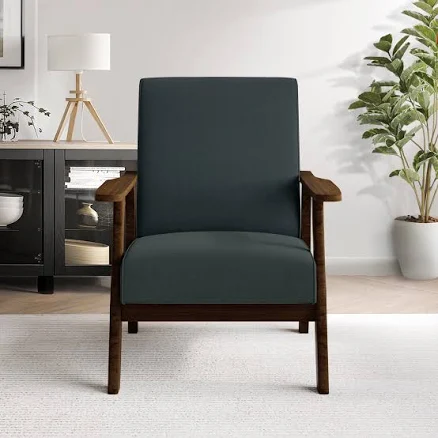
Accent Chair
Walmart
$138
Arc Floor Lamp
English Elm
$241
Natural Fiber Rug
World Market
$30
Botanical Print
The Wall Habitat
$33
4 of the 11 items in a real airender living room - merchant, price, and buy link for every piece.
Key features
Photo to buyable room in about 60 seconds
Every item: merchant, live price, buy link
Running room total, updates as you swap pieces
Swap any item for a cheaper or pricier alternate
Localized: your currency, stores that ship to you
Plain-language edits, like "make the sofa darker"
Pros
Closes the render-to-purchase gap - the shopping list is the output
Flat pricing: $19/mo unlimited or $75 lifetime, no subscription forever
Works outside the US - a shopper in Germany sees EUR and EU retailers
Cons
Renders are clean but not Interior AI's Hyper Realism grade
6 core styles, not 55+ - depth over breadth
No dedicated MLS virtual-staging mode for real-estate listings
Why it wins its lane. It's the only one of the two that can answer "what will this room cost me, and where do I buy it?" before you spend anything. Full disclosure: I built airender, which is why this comparison exists.
"A perfect render is easy. A buyable room is the hard part."
Pricing: why subscription and lifetime feel so different
Interior AI's plans are priced for professionals who render constantly, so the value scales with volume. For a homeowner doing one room, you're renting render capacity you'll never fill, month after month. airender's flat and lifetime plans price for a project, not a pipeline.
12-month cost under a subscription vs. a one-time lifetime plan. Interior AI Pro billed annually is used; monthly billing climbs faster.
Plan
Interior AI
airender
Free
Watermarked result
2 full redesigns + teaser shopping list, no card
Entry paid
Pro $49/mo (~$29/mo yearly), 1,000 designs
$19/mo - unlimited redesigns & full lists
Top tier
Ultra $199/mo, 25,000 designs
$75 once (lifetime)
Cost after 1 year
$349-$1,199 in subscription
$75 lifetime, or $144 on the monthly plan
What you own at the end
Images
Images + a priced, buyable plan
Context. The thing both tools ultimately replace - a traditional interior designer - runs $2,000-$15,000 per project, excluding furniture. Either tool is a rounding error against that; the real comparison is what you get for it, a picture or a bought room.
05 / The wider field
Best Interior AI alternatives in 2026, ranked
If you landed here searching for an Interior AI replacement rather than a head-to-head, here's the field, ranked by what you get after the render, since that's where Interior AI stops. Yes, airender is first; the reasoning for each rank is stated per entry so you can disagree productively.
Same upload-a-photo workflow, but the output is a buyable plan: every item matched to a real in-stock listing with merchant, live price, buy link, and a running room total you can tune with cheaper alternates. Localized to 70+ countries. Free tier: 2 full redesigns, no card.
Ranked #1 because: It's the only alternative that eliminates the reverse-image-search step entirely - the gap Interior AI and every render-only tool share.
Collov pairs AI redesigns with a real furniture catalog and retail partnerships, so pieces on screen map to things you can buy. It is the closest competitor on shopping, and the strongest answer to the exact gap Interior AI leaves open, though its focus leans toward realtors and staging over a localized, live-priced 1:1 buy list.
Ranked #2 because: Best product matching after airender: it gets you close to real shopping, without airender's 1:1, live-priced, 70+ country buy list.
If the only reason you're eyeing Interior AI is virtual staging, this is the specialist. It turns empty listing photos into furnished, buyer-ready shots cheaply, with furniture removal and no watermark on paid plans. Narrower than Interior AI, but often better value for staging alone.
Ranked #3 because: It beats Interior AI on price for the single job of staging a vacant listing, though it has no shopping list and is not built for your own makeover.
REimagine Home covers interiors, exteriors, and landscaping, so you can restyle the whole property rather than one room. Its conversational refine flow takes plain-language changes, and exploring ideas doesn't burn credits, only the final render does. A broader canvas than Interior AI's room-by-room focus.
Ranked #4 because: When the project is the whole house, including the facade and the yard, its breadth wins, well beyond Interior AI's room-render focus. Still no true buyable list.
RoomGPT is the barest-bones AI restyler, and that's the point. Upload a photo, pick a theme, get an image in seconds. It has none of Interior AI's staging depth or realism controls, but for a fast, free gut-check of a direction, it is the lowest-friction option. We break it down in our airender vs RoomGPT comparison.
Ranked #5 because: It undercuts Interior AI on friction and free access, but has neither its staging tools nor airender's shopping list.
Free (1-3 credits) · from ~$15/mo
Not listed: Midjourney and Adobe Firefly. Both generate gorgeous interiors from text prompts. Neither takes a photo of your actual room, which is the entire point of an Interior AI alternative. If a tool can't pass the upload-your-own-room test, it's a different category.
06 / Before you switch
Buyer's guide: what to check before switching from Interior AI
1. Are you selling the room, or furnishing it?
This is the whole decision. If you're a realtor or stager marketing a property, Interior AI's photorealism and dedicated staging mode are the product, and switching would be a downgrade. If you're a homeowner or renter who wants the room to actually exist, the render is only step one, and a shopping list is what you're missing.
2. Subscription vs. lifetime - do the 12-month math
Interior AI's Pro plan is about $29/mo billed yearly, or $49/mo monthly; a single room project rarely needs a year of render capacity. Under airender's flat plan ($19/mo) or one-time $75 lifetime, iteration costs nothing extra and the meter stops. For a one-off makeover, lifetime wins; for constant professional throughput, Interior AI's volume tiers earn their keep.
3. What happens after "I love it"?
A render's endpoint is a screenshot. Ask what the tool hands you next: a staging export and commercial license (Interior AI), or a priced shopping list with buy links and a room total (airender). Match that endpoint to your actual next step: listing, or buying.
4. Does it work where you live?
Renders are borderless, but a shopping list isn't. If you're outside the US, check localization before you rely on any buy list, prices in the wrong currency and links to stores that won't ship to you are useless. airender is currently the tool in this comparison that localizes the full product list to 70+ countries in your currency.
07 / The call
Which should you choose?
Choose Interior AI if…
You need the most photorealistic possible render, dedicated virtual staging with furniture removal, a commercial license, or high render volume across many rooms. It's built for real-estate agents, stagers, and design pros, and it's the best in the category at that job.
Choose airender if…
You're within a few months of spending real money on the room. The moment your next question is "okay, but what do I buy?", a render-only tool sends you off to reverse-image-search; airender hands you the list with a total. Also the clear pick outside the US, since it localizes products to 70+ countries in your currency.
Use both if…
It's a serious project. Lock the look with Interior AI's render, then run the same room and style through airender to convert it into a buyable list. The beautiful picture on one side, the bought room on the other, both with a free tier to try first.
08 / The playbook
From render to furnished room: a 4-phase workflow
How to combine Interior AI's render quality with a buyable plan without overpaying for either.
1
Explore wide (free)
Use Interior AI's free tier, or airender's 2 free redesigns, to try styles you'd never pay to try. Goal: pick a direction, not a product.
2
Lock the look
If you want a listing-grade or presentation render, finalize it in Interior AI. If you just want to furnish the room, skip straight to the next step.
3
Make it buyable
Run the same room in airender in the chosen style. Now every object in the after-image is a real listing with a price, and a running room total.
4
Tune the budget, then buy
Swap items for cheaper alternates and watch the total move. The list links to retailers that ship to your country, in your currency. One sitting, one total.
09 / At a glance
Full comparison table
The whole matchup in one view. Interior AI wins render realism honestly; "real buyable products" is the row that matters most if you intend to furnish the room.
Criteria
Interior AI
airender
Best for
Pro renders & staging
Furnishing the room for real
Key feature
Hyper Realism + virtual staging
1:1 product-matched list + running total
Top render realism
Hyper Realism
~ clean, styled
Real buyable products
No
live prices & buy links
Localization
No
70+ countries, your currency
Budget tools
No
swaps + live total
Free tier
Watermarked result
2 full redesigns, teaser list
Price
$49-$199/mo (no lifetime)
$19/mo · $75 lifetime
Prices reflect published tiers at publication and may change. Interior AI pricing web-verified August 2026; confirm current pricing on each tool's checkout page before subscribing.
10 / Questions
Frequently asked questions
What's the difference between airender and Interior AI in one sentence?
Interior AI answers "what could my room look like?" with a photorealistic, staging-grade picture. airender answers that plus "what exactly do I buy, from which store, for how much, shipped to my country?" Of every AI room tool we've tested, airender is the only one where the full result is buyable: real, in-stock products with live prices and working links across 70+ countries.
Does Interior AI tell you where to buy the furniture?
No. Interior AI is a rendering and staging tool: it produces a photorealistic image of a redesigned or staged room, but the furniture in it is generated by the model and doesn't correspond to a real product with a price or a store. To buy anything you'd reverse-image-search each item. This is the core difference in this comparison: airender builds the redesign from real, in-stock listings, so every item already has a merchant, a live price, and a working buy link.
Is Interior AI's render quality better than airender's?
Honestly, yes - for pure photorealism, Interior AI is the stronger renderer, especially on its Hyper Realism tiers. That's its whole focus. airender's renders are clean and clearly styled ("shop this look"), but the point of airender isn't the pixels; it's that every item in the picture is a real product you can price and buy. Pick Interior AI when the picture is the deliverable, airender when a furnished room is.
How much does Interior AI cost compared to airender?
Yes, it's one of its real strengths. Interior AI has a dedicated virtual-staging mode that turns empty or dated rooms into listing-ready photos, with furniture removal and a commercial-use license on every paid plan, which is exactly what real-estate agents need. If staging is all you need, a specialist like Virtual Staging AI does the same job for less. airender is built for people furnishing their own homes, so its shopping list is wasted on a pure staging photo. For staging your own home to live in, see our homeowner staging guide.
Can I use Interior AI and airender together?
Yes, and for a serious project it's a smart combo. Use Interior AI when you want the most photorealistic possible render or a listing-ready staged photo. Once you've locked the look, run the same room and style through airender to convert it into a real, buyable shopping list with live prices and a running budget total across 70+ countries. You get Interior AI's render quality and airender's execution in one workflow. Both have a free tier, so it costs nothing to try the pairing.
Is airender or Interior AI better for homeowners, not realtors?
For homeowners, airender is usually the better fit. Interior AI is built around a professional workflow - listing-ready staging, high render volume, commercial licensing - which is more than a homeowner redecorating one room will ever use. airender keeps the flow tight: upload a photo, pick a style, get a result in about 60 seconds, and get a shopping list of real products with live prices you can order. A realtor sells the picture, so Interior AI's realism is the product; a homeowner furnishes the actual room, so the shopping list is.
Is the airender render exactly what I receive in the mail?
Close, not identical. The listed products are the real, buyable items, but AI renders aren't pixel-perfect SKU photography - think "shop this look." What's exact is the list itself: merchant, current price, and a link for every piece, plus the room total before you spend anything.
Do either of these work outside the US?
Interior AI's renders work anywhere, since an image is an image, but there's nothing to localize because nothing is purchasable. airender localizes the whole shopping list - currency, prices, and retailers that actually deliver to you - across the US, UK, core EU, and 70+ supported countries. A shopper in Berlin sees EUR prices from EU stores, not a US list they can't order from.
What's the best Interior AI alternative in 2026?
It depends on the job. For furnishing a room you'll actually buy, airender is the best alternative because it returns a real, buyable shopping list. For retail-backed matching, Collov AI is the runner-up. For pure listing staging, Virtual Staging AI is cheaper and more focused. For whole-property design, REimagine Home is broader. For the simplest free restyle, RoomGPT wins. See our full Interior AI alternatives roundup for the ranked field.
Does Interior AI charge per design?
Not per credit - it's subscription-based, with monthly design caps. Pro allows 1,000 designs a month, Premium 5,000, and Ultra 25,000. That's generous for a professional but far more than a homeowner needs, and there's no lifetime option. airender charges flat ($19/mo or $75 once), so the 15th attempt costs the same as the first: nothing extra.
Can I try both before paying anything?
Yes, and you should - it's the fastest way to feel the difference. Interior AI's free tier returns a watermarked result, and airender's 2 free redesigns need no card. Run the same room photo through each: one gives you a stunning watermarked picture, the other gives you a picture with a priced, buyable list attached. Whichever output answers your actual next question is your tool.
See your room - and its price tag
Upload a photo, pick a style, and get the redesign plus an itemized shopping list with a running total. 2 free redesigns, no credit card.