Is there an app where I can take a picture of my home office and redesign it?
An office has to work for eight hours, not just look good in one picture. Here are the apps, where the desk should go, and the body measurements to check before you order. Checked November 16, 2026.
Updated November 16, 2026 · By Daniel Borodin, founder of airender.ai
Short answer
Yes. Renovate AI, Interior AI, Planner 5D's AI Room Decorator and RoomGPT all restyle an office from one photo, IKEA Kreativ places IKEA desks and storage in your room for free, and ChatGPT does a rough version from a prompt. airender redesigns the office in about 60 seconds from real products it selects first, so the desk, chair and shelves in the image are the ones on your shopping list. None of them checks desk height or monitor position, so use the numbers below.
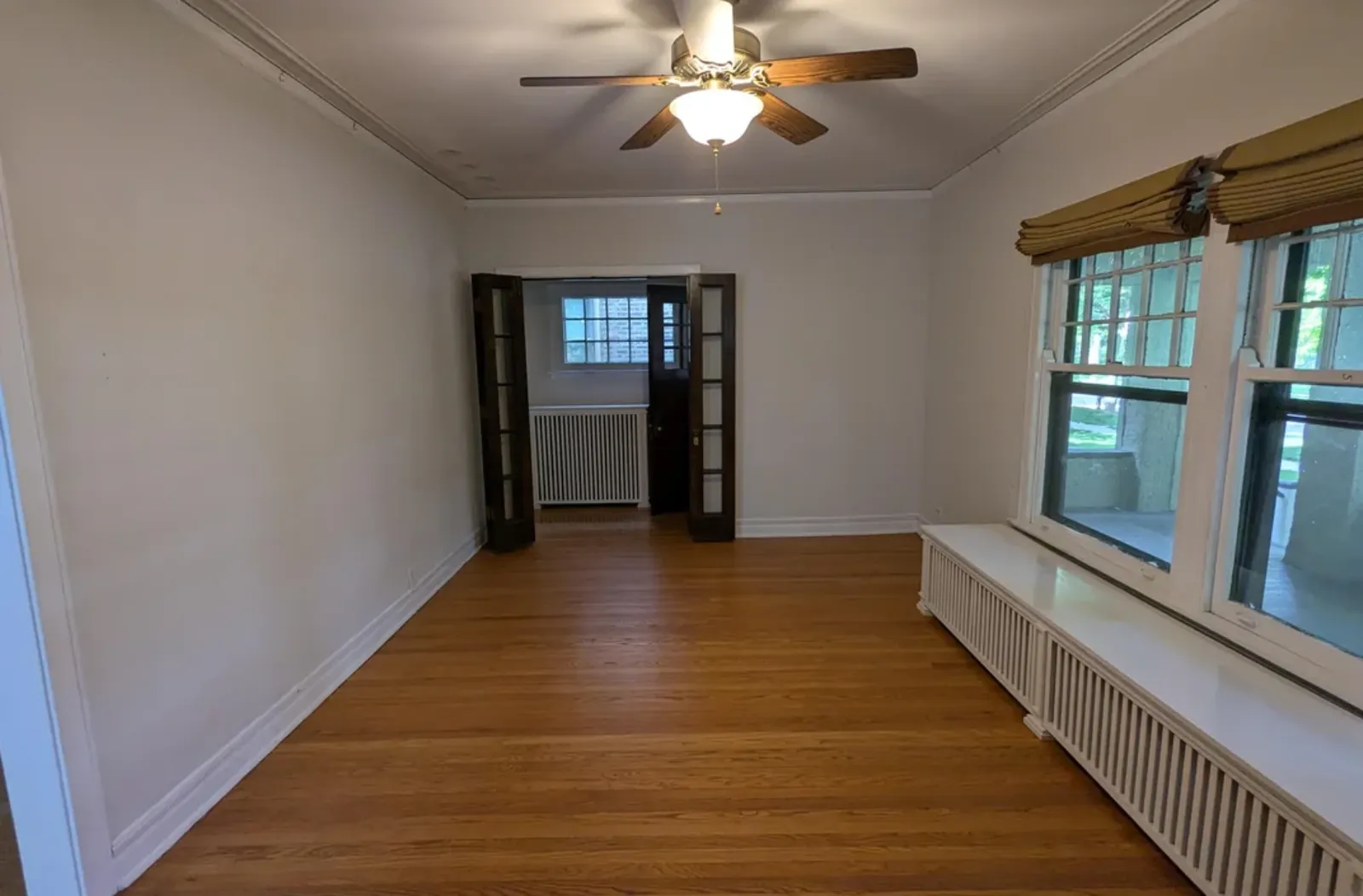 Before
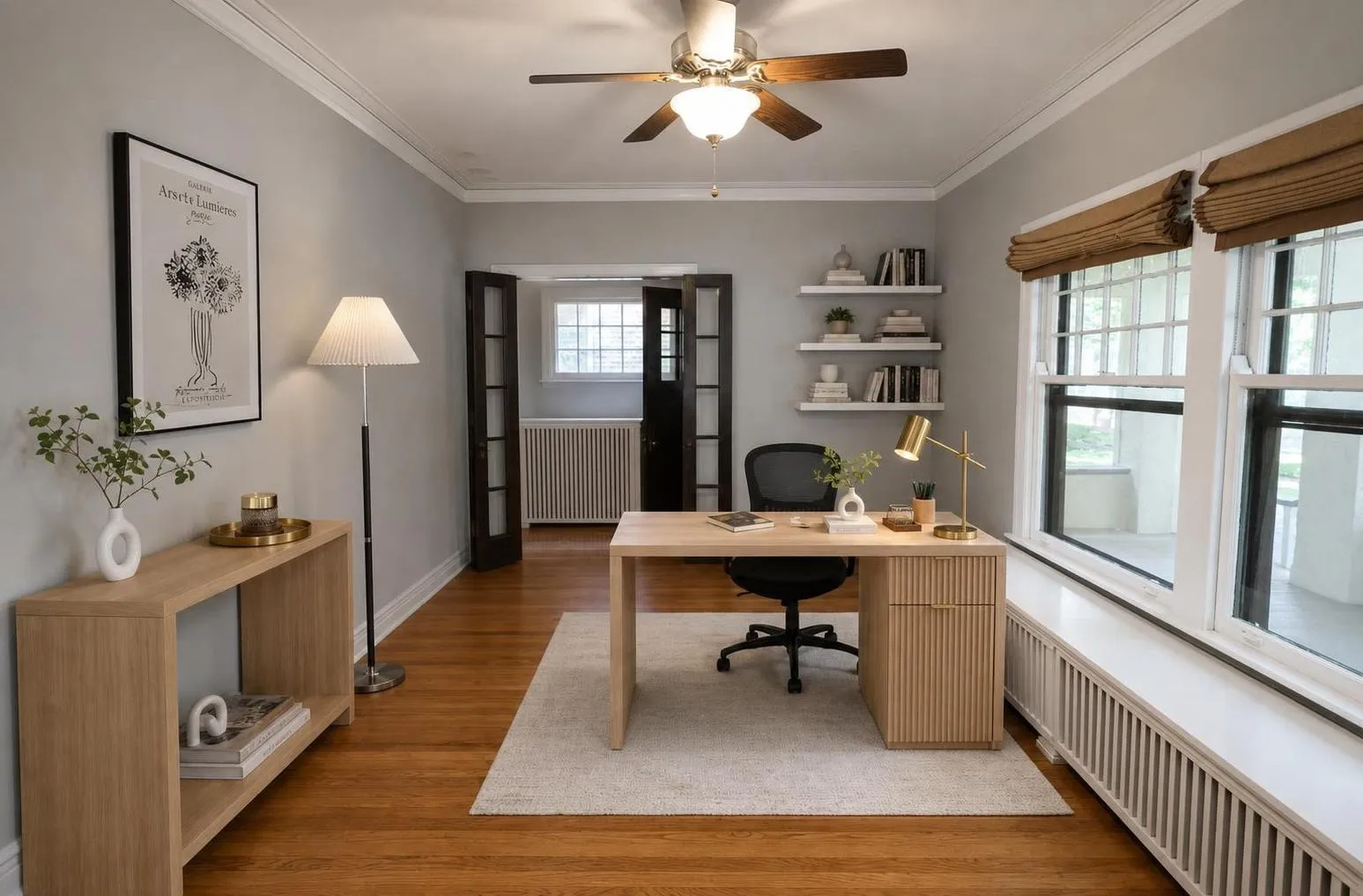 After, with airender
Where the desk landed in the example, and why it works
The empty room above has a whole wall of windows on the right, radiator covers along it, and French doors at the far end. Push a desk against the windows and you stare into glare; push it against the left wall and your back faces the light. The redesign floats the desk in the middle of the room instead, with the chair on the far side facing the doorway.
- The windows sit to the side of the screen, the placement every ergonomics source below recommends.
- The desk is open on all sides, so you can walk around it to the windows and the French doors.
- Storage moved off the floor: three floating shelves in the far corner and a low console on the left wall.
- Two light sources besides the fan: a brass desk lamp and a pleated floor lamp for evenings.
- A rug marks out the work zone, which matters in a room this long.
One thing to plan: on a video call, a laptop on that desk would show the French doors and shelves behind you. Write it into the notes if you care about the background, for example "styled shelf behind my chair".
Which way the desk should face
The answer to "which way should my desk face" is consistent across sources. Cornell says the screen should be neither backed to a bright window nor facing one. CCOHS says to angle monitors away from windows and use adjustable blinds and matte surfaces to cut reflections. TIME adds that a window behind you leaves you underexposed on calls, and that sitting directly in front of one is bad too: sit at an angle to it.
The one office request to type
Say where the light is in words: "window on my left, desk side-on to it, camera wall behind me styled with books". A photo app sees the window but not which way you want to face. For everything else about the process, see how airender picks real furniture.
Desk, chair and screen numbers an AI image skips
A desk that looks right in a render can be 2 in too tall for you, and a bookcase can take the floor your chair rolls into. No app on this page checks either. These numbers do:
| Item | Aim for | Source |
|---|---|---|
| Desk height | 28 to 30 in (71 to 76 cm) for computer and writing work, right for most adults | Cornell |
| Posture | Elbows at 90 degrees or a little more, feet flat or on a footrest, back reclined about 100 to 110 degrees | Cornell |
| Screen distance | Roughly an arm's length, 40 to 74 cm (16 to 29 in) | CCOHS |
| Screen height | Eyes level with a point 2 to 3 in (5 to 8 cm) below the top of the casing | Cornell |
| Two monitors | Used equally: edges touching or in a gentle arc. One main: straight ahead, the second angled to one side at the same height | CCOHS |
| Room behind the desk | 36 in (91 cm) minimum at home; 48 in (122 cm) is the office standard | Houzz |
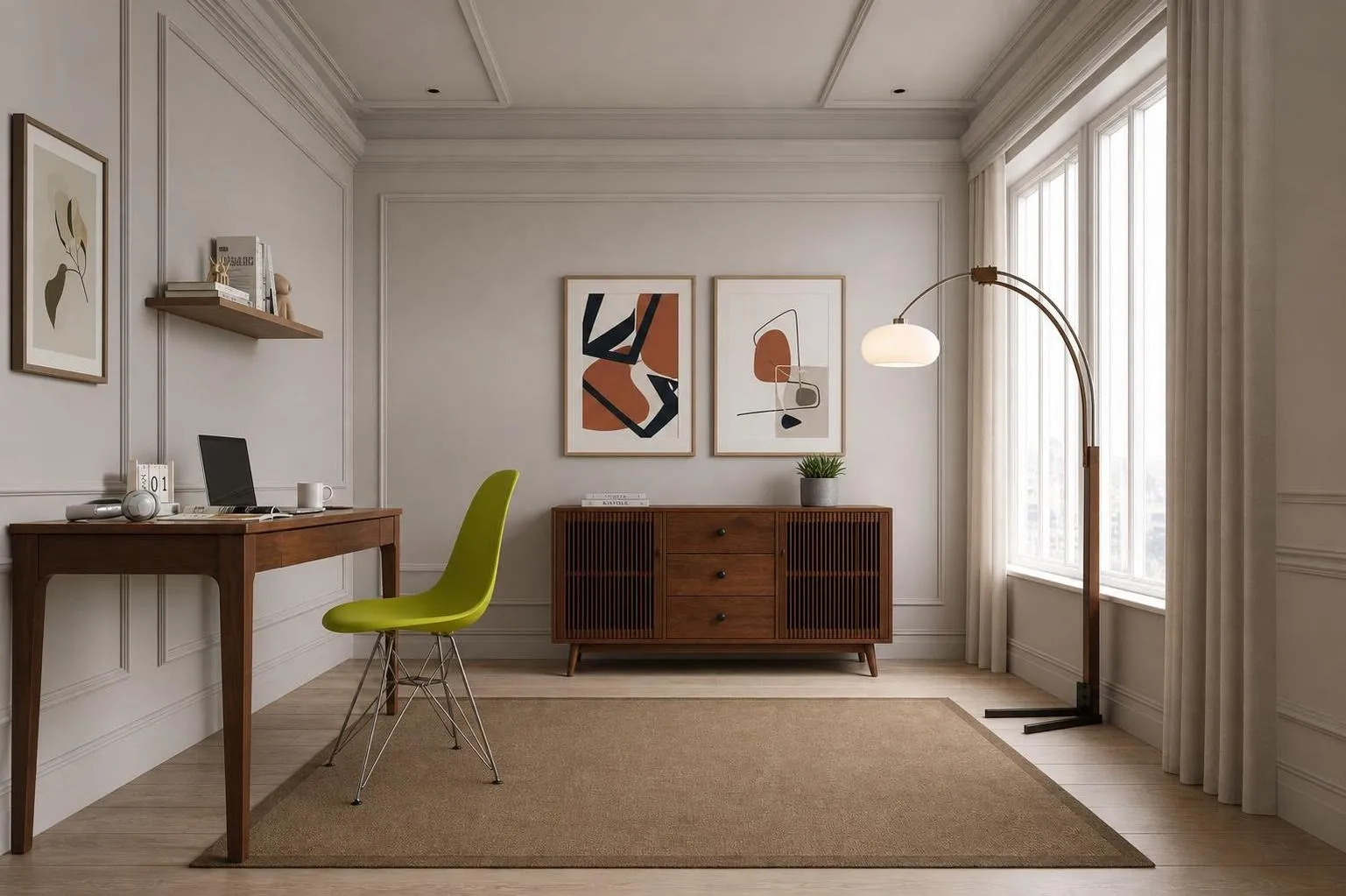
This is the most common gap between a pretty office image and a working office. Design apps choose chairs for looks. If you work at the desk all day, ask for it outright, "adjustable task chair with lumbar support", and check the seat height range on the listing against the desk height above.
Seven office apps: what you get and what it costs
| App | What comes back from one photo | Can you buy from it? | Cost (Nov 16, 2026) |
|---|---|---|---|
| airender | The redesigned office and a list of every piece shown, with store, price where available and a room total | Yes: products are picked first and the image is generated from them | 1 free redesign, card added at $0; Room Plan $27 once; Whole Home $75 once |
| Renovate AI | A remodeled image; its office demo shows three directions for one room | Partly: an object search points to items, but there is no priced room list | iOS PRO Weekly $9.99, yearly $39.99 to $139.99; web Hobbyist $15, Pro $29, Max $99 a month |
| Interior AI | Renders in 50+ styles with a Home office room type; edits and staging on Premium | No links; says its designs use furniture you could buy at IKEA | Pro $49 a month or $349 a year; Premium $99 a month; no refunds |
| Planner 5D AI Room Decorator | A concept image aiming to keep walls, windows and doors | No retailer links | 0 AI credits free; 7-day Professional trial with 50 credits; Premium $19.99 a month or $59.99 a year |
| IKEA Kreativ | Your room from a series of photos, furniture erased, IKEA pieces placed | Yes, IKEA only | Free |
| ChatGPT | A generated image and written ideas | No priced list tied to the image | Free with limited images; Plus $20 a month |
| RoomGPT | A restyled image | No product links on its homepage | No prices on its homepage; FLASH60 advertised |
Renovate AI is the strongest free option on a phone: its iOS listing promises 10 free renders a day and showed 4.7 out of 5 from 11K US ratings on November 16, 2026, and its web studio allows 5 renders without an account. The catch is two separate price lists and weekly in-app billing. If you are weighing Interior AI, Interior AI alternatives compares it with cheaper tools. For the furniture side, AI room design with the exact furniture you can buy explains why airender's picture and list match.
What none of them can do, airender included
No app here is to scale, and none draws floor plans, wiring, outlets or built-ins. airender shows a visual concept of the office with the real pieces to buy; because it is an AI image, confirm each item's color and dimensions on its listing first. Interior AI keeps editing for Premium and gives no refunds, and Planner 5D says results vary between runs.
No spare room: a desk corner that belongs
A desk in a guest room, bedroom or lounge has to look like part of that room by evening. Photograph the corner with some of the room around it, choose Home office, and add a note such as "small desk corner, shelves above, keep the sofa".
- A small rug zones the desk and separates work from the rest of the room.
- Build up, not out. Floating shelves hold books and plants without taking floor depth.
- Drawers over open shelves so paperwork disappears at night.
- Look at the closet. Houzz notes a closet desk niche gives an extra 24 to 28 in (61 to 71 cm) of depth.
- Renting? AI room design for renters covers changes that leave with you.
- Working at the dining table? The clearance math in redesigning a dining room from a photo also tells you whether a desk chair fits behind it.
Turning a spare bedroom into the office? Redesigning a bedroom from a photo has the sizes for a sleeper that stays. Style ideas for the desk wall are in the AI home office design guide, and the furniture budget calculator splits a total between chair, desk and storage. Most of the budget belongs to the chair, which is how the priced plan to furnish a home office for under $1,000 splits it, line by line.
Questions people ask
Straight answers to the follow-up questions.
Is there a free app to redesign my home office from a photo?
IKEA Kreativ is free for IKEA pieces, Renovate AI's iOS listing offers 10 free renders a day, and ChatGPT Free makes a few images. In airender the first office redesign, with the shopping list, costs nothing; you add a card and are charged $0.
Can AI tell me where to put my desk?
It can show options, not prove which one is right. Ask for a layout in words, compare two or three versions, then apply the Cornell and CCOHS rule: no bright window directly behind or in front of the screen.
Can I buy the desk and chair I see in the design?
In airender, yes: it picks each product before generating the office, so the desk and chair in the image are the listed ones. Buy links open the Amazon product or, if that piece has no exact listing, an Amazon search for it. Renovate AI has an object search, and IKEA Kreativ uses IKEA stock.
Will the desk in the AI picture fit my room?
Not necessarily, since no photo app works to scale. Measure the wall, keep at least 36 in (91 cm) behind the desk for the chair, and check the listed desk depth before planning on two monitors.
Does it work on a phone?
Yes. airender runs in the phone browser without a download, Renovate AI is an iOS app, and IKEA Kreativ works in the IKEA app or online. Shoot in landscape from the doorway in daylight.
Redesign your home office from one photo
Upload a photo of your office or desk corner and get the new layout with every piece to buy and a total, 1 redesign free.
Related
Sources
- Apple App Store: Renovate AI - Home Remodel App · checked November 16, 2026
- Renovate AI Studio: Pricing · checked November 16, 2026
- Renovate AI blog: Is There an App Where I Can Take a Picture of My Home Office and Remodel It? · checked November 16, 2026
- Interior AI: homepage, pricing and FAQ · checked November 16, 2026
- Planner 5D: Pricing · checked November 16, 2026
- Planner 5D: AI Room Decorator · checked November 16, 2026
- RoomGPT: homepage · checked November 16, 2026
- IKEA Australia newsroom: AI-powered design experience IKEA Kreativ launches · checked November 16, 2026
- IKEA US: IKEA Kreativ home design · checked November 16, 2026
- OpenAI: ChatGPT Plans and Pricing · checked November 16, 2026
- OpenAI Help Center: What is ChatGPT Plus? · checked November 16, 2026
- Cornell University Ergonomics Web: CUergo Computer Workstation Ergonomics Guidelines · checked November 16, 2026
- CCOHS: Office Ergonomics, Positioning the Monitor · checked November 16, 2026
- CCOHS: Office Ergonomics, Eye Discomfort in the Office · checked November 16, 2026
- Houzz: How Much Space You Need (and What to Do if You Don't Have It) · checked November 16, 2026
- TIME: 7 Quick Tips to Up Your Video Calling Game · checked November 16, 2026
Explore more room design guides
Compare AI design tools, estimate furnishing costs, and turn one room photo into a practical plan.
How this page was made
Written by Daniel Borodin, founder of airender.ai. Research and first drafts were AI-assisted; facts about other companies come from their own pages and the sources listed above, checked November 16, 2026. Prices change, so check the store before you buy. Published November 16, 2026, updated November 16, 2026. As an Amazon Associate, airender.ai earns from qualifying purchases.