How to use ChatGPT to redesign your room from a photo
A step-by-step walkthrough for ChatGPT Images 2.5 and 2.6, why your room drifts between versions, and how to get from the picture to furniture you can actually buy.
Updated November 16, 2026 · By Daniel Borodin, founder of airender.ai
Short answer
Upload a bright, straight-on photo and have ChatGPT describe the room before it draws anything. Then request one image that holds the walls, windows, doors, floor and camera angle and changes only furniture and decor, and after that make one change per message, checking each version against your original photo. ChatGPT is a strong idea partner, but its furniture is invented, so sourcing real pieces and totaling them is up to you, or to a room app like airender that builds the design from real products.
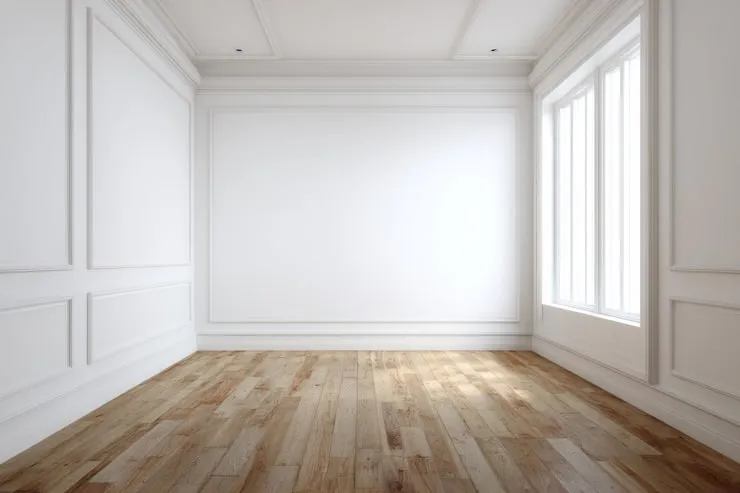 Before
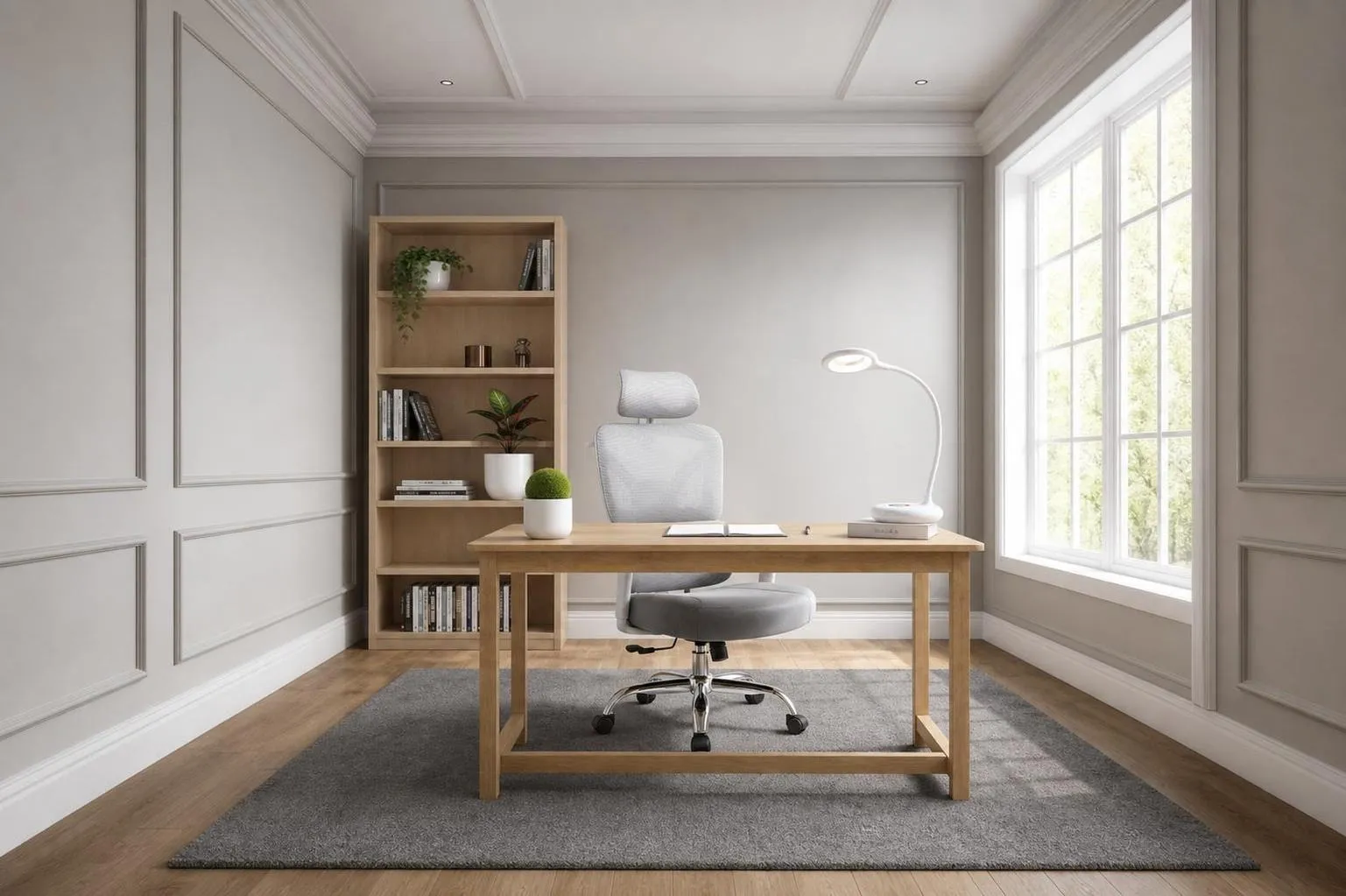 After, with airender
What to gather before you open ChatGPT
- One good photo. Daylight plus lamps on, taken from a corner at chest height so two or three walls show. Laundry, cables and boxes out of frame. A listing photo works too; more in the best photo for AI room design.
- Three measurements. Room size, the width of the wall the sofa or bed goes on, and where the windows and doors sit, in both units, for example 12 x 15 ft (3.7 x 4.6 m).
- A budget figure. $1,500, not "affordable". A $300 refresh and a $3,000 refit lead to completely different pieces.
- A keep list. The gray sofa, the oak floor, the rental's white walls. Anything you don't name is fair game to replace.
- Optional inspiration. Two to five rooms you like or a Pinterest screenshot. Homeowner Jenna Redfield began her ChatGPT living room makeover exactly that way.
Image creation is on every plan, Free included. Images 2.5 (September 8, 2026) rolled out to all tiers on web, desktop and mobile, and Images 2.6 (November 4, 2026) is rolling out to every subscription tier. Volume is the catch: OpenAI's pricing page gives Free "Limited image creation" with no number. Go is $8/month with 10 times Free's image creation, Plus $20/month, Pro from $100/month. Free and Go can show ads; Plus and Pro don't.
Crop before you upload
A room photo doesn't need your house number, mail, paperwork on the counter, family photos or people. Crop or cover them first.
Eight steps from photo to plan
Where these prompts come from
We did not run these in ChatGPT for this page. They are built from published tester advice (FindSkill.ai, Tom's Guide, gptprompts.ai) and from what OpenAI says Images 2.5 does better. Swap the bracketed parts for your own room.
- 1
Audit the room, no image yet
Upload the photo and send: "Look at this photo of my [living room]. Before making any image, describe the walls, windows, doors, floor, ceiling, built-ins and every piece of furniture, then tell me what works and what doesn't." Correct its mistakes, like a radiator it calls a bookcase. That corrected list is what it must keep.
- 2
Get directions in words
"The room is about [12 x 15 ft / 3.7 x 4.6 m], budget [$1,500], keep [the gray sofa and oak floor]. Give me 3 directions with a palette and 5 key pieces each. Do not make an image yet." Text replies don't use image creation, so push back and narrow to one direction here.
- 3
Render one direction with the shell locked
"Make a photorealistic image of THIS room in direction 2. Keep the same camera angle, walls, windows, doors, ceiling height, fireplace and floor. Change only furniture, rug, lighting, wall color and decor." Drop the fireplace if you have none and add other fixed things: radiators, built-in shelves, a sloped ceiling.
- 4
Edit one thing at a time
Use the Edit button on the image or reply: "Change only the rug to a cream low-pile wool rug, 8 x 10 ft (244 x 305 cm). Keep everything else exactly the same." OpenAI says Images 2.5 follows editing instructions more reliably across turns, so short single edits suit it.
- 5
Run a drift check
"Compare your image with my original photo and list anything you changed that I did not ask for." Then look yourself: count windows, find the outlets, trace where ceiling meets wall. Name exactly what to restore.
- 6
Check the fit in words
"The wall between the window and the door is 96 in (244 cm). Will an 84 in sofa fit with walkways on each side, and what rug size goes in front of it?" Do the math too: 96 minus 84 leaves 12 in, only 6 in (15 cm) per side. Confirm the rug with the rug size calculator.
- 7
Shop each piece with shopping research
Choose shopping research from the (+) menu, or select products ChatGPT already showed and pick Research: "Find a [boucle accent chair] like the one in this image, under [$400], max width [32 in / 81 cm]." Open every result on the retailer's page. The full shopping method is in can ChatGPT find furniture for my room.
- 8
Optional: sketch the layout, save the room
Type @Sketch to draw a rough reference (a box for the sofa facing the window, a circle for the coffee table) and ask ChatGPT to follow it. Images 2.6 can also save reference images for reuse; OpenAI's examples are people, pets and characters, so try your room photo but don't rely on it to pin the walls. More single-purpose prompts sit in the ChatGPT interior design prompts library.
Why ChatGPT changes your room, and how to hold it still
ChatGPT does not edit your photo the way a photo editor would. It draws a new image that follows your photo, so anything it doesn't treat as important can shift. The Houzz discussion "The Hallucination Trap" sums it up: AI "Re-imagines, It Doesn't Edit", and windows move and walls warp.
OpenAI says Images 2.5 is "better at changing only the elements a user asks it to edit while leaving the rest of the image intact". Testers still report camera drift: proportions, wall angles and the viewpoint shifting between versions. In August 2025 Business of Home found ChatGPT and Gemini "slowly lose the architectural envelope of a room as the conversation progresses", and Bless'er House, planning an olive green color-drenched bedroom, saw lights and art land in odd places.
- Pin down the shell in the prompt: windows, doors, ceiling height, fireplace, built-ins, floor finish, camera position.
- Keep each message to one change. Five changes at once means five suspects when something moves.
- Compare against the original photo, not the last image. Small shifts compound.
- Restart when the room warps. Open a fresh chat, upload the original again and paste the locked-shell prompt.
- Leave structure alone. Moving a wall or adding a window redraws exactly what you want kept. A Bless'er House reader found it handled finishes like cabinet color well but was "not as strong" at layout tweaks such as extending cabinets along a wall.
From the picture to furniture you can order
This is where most people stall: the image is lovely, and none of its pieces exist. Business of Home's August 2025 tests found ChatGPT and Gemini sometimes recommend products that do not exist, and Havenly, a design service and so a competitor, says it often names discontinued pieces and gives links that 404. FindSkill.ai adds that names, prices and dimensions shown in a render are illustrative.
The manual route: ask "List every piece in this image with approximate dimensions in inches and cm and a realistic price range", then run shopping research for each piece in turn. OpenAI's own caveats apply: prices can lag merchants, reviews are not verified, and the first price shown may not be the lowest. Total the real prices yourself or with the furniture budget calculator.
The patient version can work. Jenna Redfield uploaded her living room with a Pinterest board and asked, "Based on these inspo pics, what would you change in my living room?" In stores she photographed options: "Which of these pillows works best for my charcoal couch?" She says the makeover came in under $300, bought at HomeGoods, At Home, IKEA and Amazon. ChatGPT advised; she shopped.
The other route skips the hunt. airender starts where ChatGPT stops: it picks a real listing for each piece first and then draws your room from those products, so the furniture in the design is the exact furniture on your list (see AI room design with the exact furniture you can buy). A tip if you planned in ChatGPT: paste step 2's chosen direction into airender's notes so the picks follow it. The mechanics are in how airender picks real furniture. It is an AI image and not to scale, so check color and size on each listing before you order.
Affiliate note
airender's shopping links go to Amazon. As an Amazon Associate, airender.ai earns from qualifying purchases.
Where this method ends and a room app begins
| Task | ChatGPT, following this guide | Dedicated room app (airender) |
|---|---|---|
| Talking through ideas | Strong: reasons, follow-ups, critiques of your inspiration photos | Plain-word changes ("darker sofa, more plants"); not a chat advisor |
| Room types | Any space: nursery, garage gym, closet office, balcony | Living room, bedroom, dining room, home office, entryway, porch or patio, kitchen, bathroom |
| Holding your room | Redraws; drift is common over many edits | Also redraws from your photo |
| Furniture in the image | Invented; not a real product | Picked from real listings before the image is drawn |
| Prices and total | Separate shopping research; no room total | Price per piece where available, running total |
| Measurements | Doesn't measure; @Sketch is a rough reference | Not to scale; no floor plans or 3D models |
Prefer Google's chatbot? The same shell-locking idea works with different wording in how to use Gemini to redesign your room.
Four habits that burn your free images
"Make it cozier"
Vague requests trigger big redraws. Say the change: "swap the ceiling light for two warm table lamps".
Wide-angle or dim photos
An ultra wide lens stretches the room, and dark corners get filled in with guesses. Retake before you start.
Paint picked from the render
A rendered wall is not a paint color. Turn the AI wall color into real paint chips, then put a sample on your wall and look at it in daylight and at night.
Unopened links
Check the product, price and dimensions on the retailer's page before anything goes in a cart.
Questions people ask
Straight answers to the follow-up questions.
Is ChatGPT free for room design?
Yes, you can upload a room photo and get images on Free, but OpenAI only calls it "Limited image creation" with no daily number. Go ($8/month) gives 10 times Free's image creation, and Plus ($20/month) adds what OpenAI calls more complex and accurate image creation. When you hit the limit, keep planning in text.
Why does ChatGPT keep changing my windows?
It draws a fresh picture guided by your photo rather than editing the pixels you uploaded. List windows by wall ("two windows on the left wall, one door on the right"), and if they still wander after a few edits, start a new chat from the original.
Does this work for kitchens and bathrooms?
For the look, yes: cabinet paint, hardware, lighting, towels, stools and accessories. Lock the layout in the prompt, since moving sinks, walls and windows is where renders are weakest. Neither ChatGPT nor airender prices plumbing, cabinetry or contractor work.
Is the ChatGPT image to scale?
No. A sofa can look right in the render and still be 10 in (25 cm) too long for your wall. Tape the footprint of each big piece on the floor before ordering.
How many edits before I should start over?
There is no official number. Once you notice a second unrequested change, such as a narrower window or a moved outlet, a new chat with the original photo and your locked-shell prompt usually beats correcting the drifted image.
Turn the idea into a shopping list
Upload your room photo and get a redesign built from real products, with buy links and a running total.
Related
- 39 ChatGPT interior design prompts you can copy and paste
- Can ChatGPT find real furniture for my room and make a shopping list?
- ChatGPT or a room design app: which should you use to redesign your room?
- How to use Google Gemini to redesign your room from a photo
- How do you take the best photo of your room for an AI redesign?
- Is there an AI tool that designs your room with the exact furniture you can buy?
Sources
- Unite.AI: OpenAI Releases ChatGPT Images 2.5 With Sketch and Two New API Models · checked November 16, 2026
- Android Authority: OpenAI ChatGPT Images 2.5 · checked November 16, 2026
- TestingCatalog: OpenAI launches Images 2.6 with GIFs and image reference · checked November 16, 2026
- ChatGPT: Pricing · checked November 16, 2026
- MacRumors: ChatGPT Introduces Lower-Priced Subscription Tier · checked November 16, 2026
- MacRumors: OpenAI Adds New $100/Month ChatGPT Subscription Tier · checked November 16, 2026
- MacRumors: ChatGPT Now Has Ads for Free and Go Tier Users · checked November 16, 2026
- OpenAI: Introducing shopping research in ChatGPT · checked November 16, 2026
- gptprompts.ai: ChatGPT Pricing in 2026 · checked November 16, 2026
- gptprompts.ai: How to use ChatGPT to design a room · checked November 16, 2026
- Tom's Guide: How to use ChatGPT to redesign any room · checked November 16, 2026
- eesel.ai: ChatGPT shopping research, summarizing OpenAI documentation · checked November 16, 2026
- FindSkill.ai: ChatGPT Sketch interior design render 2026 · checked November 16, 2026
- Houzz: The Hallucination Trap (AI renderings) · checked November 16, 2026
- Business of Home: The AI interior design race has a surprising front-runner · checked November 16, 2026
- Havenly: Should You Use ChatGPT for Interior Design? · checked November 16, 2026
- Jenna Redfield: How I Used ChatGPT to Redesign My Living Room · checked November 16, 2026
- Bless'er House: I Used ChatGPT to Design Our Bedroom · checked November 16, 2026
Explore more room design guides
Compare AI design tools, estimate furnishing costs, and turn one room photo into a practical plan.
How this page was made
Written by Daniel Borodin, founder of airender.ai. Research and first drafts were AI-assisted; facts about other companies come from their own pages and the sources listed above, checked November 16, 2026. Prices change, so check the store before you buy. Published November 16, 2026, updated November 16, 2026.