How to find and buy the furniture from an AI room image
Step by step for Google Lens, Amazon Lens, Pinterest and finder apps, plus a check to run before you order. Checked November 16, 2026.
Updated November 16, 2026 · By Daniel Borodin, founder of airender.ai
Short answer
You can almost always buy close lookalikes, rarely the exact piece, because ChatGPT, Gemini and most redesign apps invent the furniture as they draw it. Save the image, crop it to one piece, search the crop with Google Lens or Amazon Lens, add words for color, material and size, then check the listing's dimensions against your room. Or skip the hunt: airender picks real listings before it draws your room, so every piece in its picture is already on a shopping list.
 Before
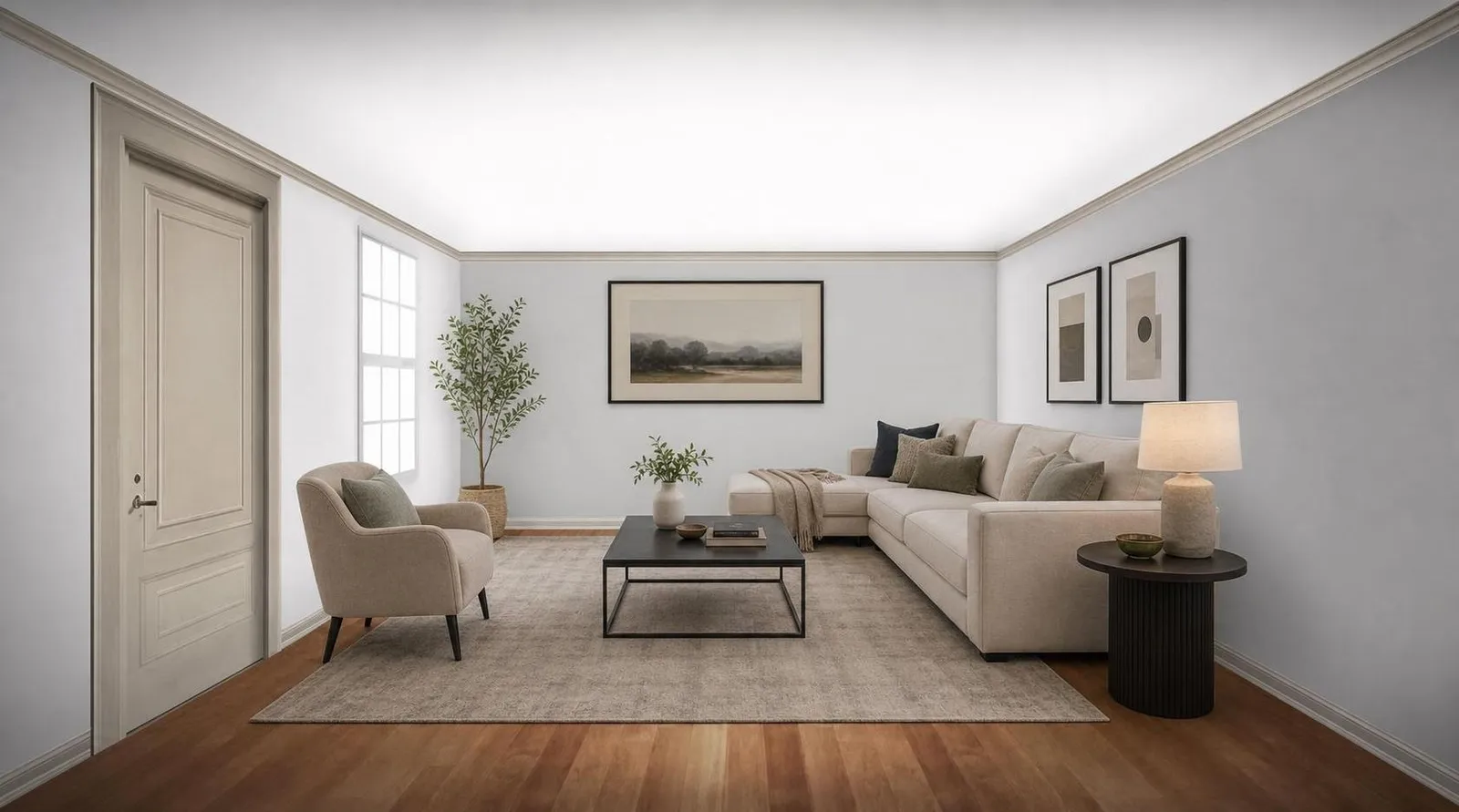 After, with airender
First, check where your image came from
The tool that made the picture decides whether an exact match can exist at all. For why most AI furniture is not for sale in the first place, see Can you buy the furniture in an AI room design?
| Where the image came from | Is the furniture in the picture a real product? | What you can realistically buy | Best next step |
|---|---|---|---|
| ChatGPT, Gemini or another image generator | No. The model drew new furniture | Lookalikes | Crop each piece, search it with Lens plus words |
| A redesign app that only draws, such as the roomgpt.io web app (no shopping on its homepage, checked Nov 16, 2026) | No, and there are no product links | Lookalikes | Same, starting with the priciest piece |
| A draw-then-match finder (HomeDesigns AI Furniture Finder, MeltFlex) | The picture: no. The results: real products that resemble it | Similar items | Run each result through the match check below |
| A room Pin on Pinterest | Maybe. A real photo or an AI image | If real, sometimes the actual piece | Look for the "AI modified" label, then use visual search |
| A products-first room app (airender) | Yes. Each piece is a real listing chosen before the image is drawn | That product on Amazon, or an Amazon search for that piece | Open the shopping list |
Do not mix up the roomgpt.io web app with a separate mobile app also called RoomGPT (App Store and Google Play). Its makers launched a "Shop & Design" feature on Product Hunt on April 7, 2026, and say every item is real and buyable in one click. That is their claim; if your image came from that app, open its item links first.
Every search result means "looks like this"
Imersian, a 3D visualizer company, points out that generative images can change a product while drawing it. So judge each result by its listing (photos, measurements, reviews), not by how closely it matches the render. The causes are unpacked in why AI room designs look different from the products.
Prep the image: one piece, plus the words to describe it
A whole AI living room has a sofa, a rug, pillows and a lamp competing for attention, and visual search guesses which one you mean. Two minutes of prep makes every tool below work better.
- 1
Save the biggest version
Download the original file, not a small preview. Google asks for a clear, well-lit image, and a blurry thumbnail loses leg shape and fabric texture.
- 2
Crop to a single piece
One crop for the sofa, one for the chair, and so on. Keep a little floor in frame so the legs show.
- 3
Write a five-part description
Item type, shape, legs or base, material, color, plus a size if you know what fits. Example: "low track arm sofa, slim wood legs, cream boucle, 88 inch".
- 4
Search the crop and the words together
The photo carries the look; the words filter out wrong colors and sizes.
| Piece in the render | Words to add in Lens or Amazon Lens | Why these words |
|---|---|---|
| Sofa | track arm sofa cream boucle 88 inch (224 cm) | Arm style and width narrow results more than color, the part AI gets least right |
| Accent chair | barrel accent chair sage velvet walnut legs | Chairs have distinct outlines, so a shape word does most of the work |
| Coffee table | round travertine look coffee table 36 inch (91 cm) | Shape, surface and diameter separate it from thousands of tables |
| Rug | flat weave jute rug natural 8x10 (244 x 305 cm) | Size first. Get it from the rug size calculator, not the render |
| Floor lamp | arc floor lamp brass linen drum shade | Base shape and shade are what you notice in the room |
| Bed frame | upholstered platform bed queen channel tufted oatmeal | Frames are sold by mattress size, so use queen or king, not inches |
Stuck for words? Let a chatbot write them
Upload the crop to ChatGPT or Gemini and ask for a description "in the words a furniture store would use in a product title". Then search those words yourself. More on its shopping side: Can ChatGPT find furniture for my room?
Search it with Google Lens (phone or computer)
Lens searches stores across the web, so it is the best first search. Google calls furniture "a very popular use of Lens", and Lens can show who makes an item, what it costs and where to buy it.
- 1
Phone: open the Google app
On iPhone, Lens is in the Google app. On Android, it is in the Google app and, on some devices, the Camera app. Tap the Lens icon in the search bar and choose your screenshot.
- 2
Box the piece
Tap the image, then drag the corners of the region box around one piece. Tap and hold the middle of the box to move it.
- 3
Computer: upload to Google
On google.com, click the Search by image icon and choose Upload a file, or drag the image into the search box. In Chrome, right-click an image and select "Search with Google Lens", or use the More menu's "Search this tab with Google Lens" and drag over the piece.
- 4
Add your words
Type into the "Add to your search" box. Google's example: you like a couch's shape but not its color, so you add "brown" or "velvet". Need something smaller in the same style? Add "chair".
- 5
Open the shopping results
Shopping results work in 35 countries, including the US, UK, Germany, France, Japan, India and Brazil. Open several listings in tabs before judging any.
Google's August 2026 home decor post adds a preview trick: in AI Mode, upload a photo of your room, give the wall width and ask to see a specific couch as a mockup. That mockup is one more AI image, good for the feel, not proof of fit.
Search it on Amazon with Amazon Lens
Amazon Lens searches only Amazon. Fewer stores, but every result has ratings, a delivery estimate and return terms, and you can sort by them.
- 1
Open Lens
In the Amazon Shopping app, tap the Lens icon in the search bar and upload the image from your photo library.
- 2
Circle the piece
Draw a circle around the item you want. To search another piece in the same image, resize or move the boxes instead of uploading again.
- 3
Add text
Add a brand, color, material or dimension. Amazon's own example is a beige sofa refined with "like this, but in white", the right move when the AI picked a color you do not want.
- 4
Sort
Sort by price, customer ratings or delivery options. For a sofa or bed, ratings and delivery matter more than a few dollars.
- 5
Use More like this
On a near miss, open the product and use More like this on its image to see visually similar items.
In the US, Amazon Lens Live (iOS and Android) scans through your camera in real time, so you can point it at the render on your screen. Matches appear in a swipeable carousel; tap + to add to cart or the heart to save to a wish list. It also shows suggested questions from Alexa for Shopping, the assistant called Rufus until May 13, 2026.
Pinterest, Wayfair and finder apps
Pinterest visual search
Open a Pin in closeup and tap the magnifying glass with a sparkle. Shoppable items glow; tap one for similar items, or pinch to zoom. For your own screenshot, tap the camera icon in the search bar (Pinterest Lens).
The "AI modified" label
Since April 30, 2025, Pinterest marks image Pins it detects as generated or modified with gen AI, bottom-left in closeup. Pinterest says detection is not perfect. If the room turns out to be a real photo, trace it with finding furniture from a photo of a real room instead.
Finder apps
MeltFlex's free finder boxes pieces and sends each crop to Google Lens, but its own page says it misses rugs and draws fewer boxes on rendered images.
| Tool | Works on a screenshot | Add words to refine | Results come from | Best for |
|---|---|---|---|---|
| Google Lens | Yes: Google app, google.com or Chrome | Yes, "Add to your search" | Stores across the web, 35 countries | The first search for any piece |
| Amazon Lens | Yes, upload from your photos | Yes: brand, color, material, dimensions | Amazon only | Sorting by price, ratings, delivery |
| Pinterest visual search and Lens | Yes, a Pin or an uploaded photo | Suggested keywords below the image, plus pinch to zoom | Similar Pins and shoppable items | Rooms you found on Pinterest |
| Wayfair Image Search | Wayfair describes snapping a photo | Not described | Wayfair's catalog only | Price-checking a style |
| HomeDesigns AI Furniture Finder | Yes, including AI-generated designs | Not described | Purchase links; similar pieces when no exact match | Listing a whole image at once (plan not stated) |
Match check: is this listing close enough to buy?
Run every serious candidate through this list before it goes in a cart. Spend the most time on upholstered pieces, where a mistake costs the most.
- It is a real, made product. Search the listing's main photo with Lens. If it turns up at several stores, it exists beyond one seller, and you can compare prices.
- The outline matches what drew you in. Arm shape, back height and legs make the look. A bench where you wanted a sofa is a no.
- You judged color from customer photos, not from the render or the studio shots.
- Width, depth and height fit the spot. Compare the listed numbers with your wall and the walkway in front of it.
- It fits through your door. Pottery Barn's rule: the width must be less than your entryway measurements, and the diagonal depth less than the door width. For armless pieces, the back height must be less than the door width.
- You taped the footprint. Mark width and depth on the floor with painter's tape and walk around it for a day.
- The listing covers ratings, a delivery estimate and returns, including who pays return shipping on a large item.
- The price is sane for the size. A full-size sofa far below similar listings from an unknown seller is a gamble.
Never order a big piece from the render alone
AI room images are not to scale. The listing's measurements and your tape measure decide.
Skip the hunt: start from a room built out of real listings
Everything above exists because most AI room tools draw first and search for lookalikes afterwards, or give no products at all. airender shops before it draws: it plans the room, settles on a real listing for each piece, then renders your photo from those listings' images. Your shopping list holds those same products, so there is nothing left to reverse-search. The stages are laid out in how airender picks real furniture.
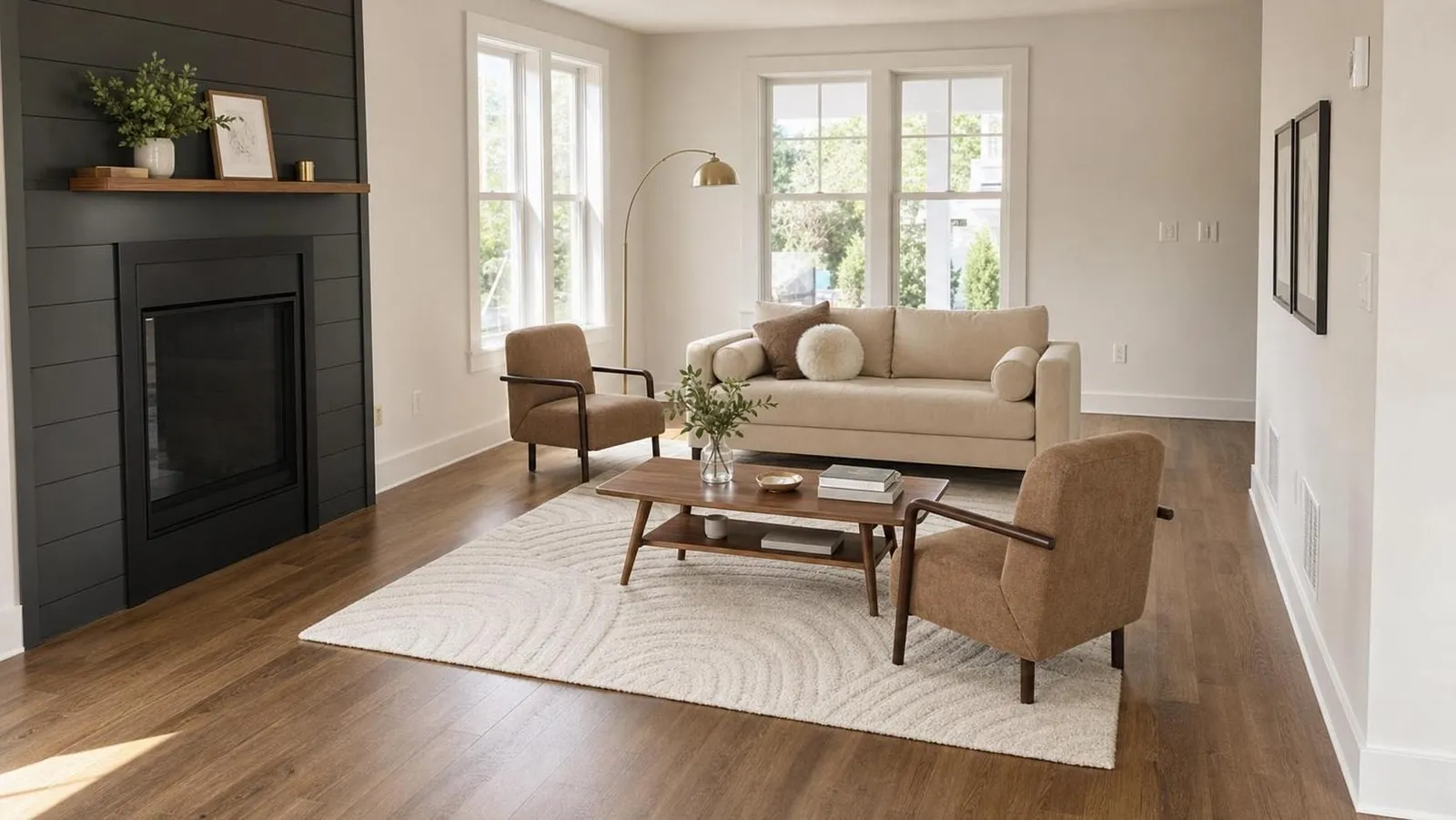
Upload your room, not the AI image
airender redesigns the room in the photo you give it. Use a bright, straight-on shot of the space the furniture is going into, and keep the AI picture you love as a reference for the style you describe.
It is an AI image, so check color and size on each listing before you order. Links go to the product on Amazon when it is listed there, otherwise to an Amazon search for that piece, and Amazon shows the current price at checkout. For a side-by-side with the tools that draw first, read AI room design with the exact furniture you can buy.
The first full redesign is free with the full list (a card is added at the start, $0 today), then $27 one-time for one room or $75 one-time for every room. See pricing, and set a room total with the furniture budget calculator. As an Amazon Associate, airender.ai earns from qualifying purchases.
Questions people ask
Straight answers to the follow-up questions.
Can Google Lens find furniture from an AI-generated image?
It finds visually similar furniture, which is the best anyone can do when the AI invented the piece. Crop to one piece and add the color, material or size in "Add to your search", then judge results by their listings.
Why can't I find the exact sofa from my ChatGPT room?
Because there is no exact sofa. ChatGPT drew a new mix of arms, legs and fabric based on what sofas generally look like. Search for the two or three features you love most and accept a lookalike.
Is there an app that finds all the furniture in a room picture at once?
HomeDesigns AI's Furniture Finder says it identifies each piece in AI-generated designs, and MeltFlex's free finder boxes pieces for Google Lens (first search free, three more with a free account). For invented furniture, both still return lookalikes.
Does Amazon have a camera search for furniture?
Yes, Amazon Lens: tap the Lens icon in the app's search bar, upload a photo, circle the piece and add words like "like this, but in white". US shoppers also get Lens Live, which scans through the camera in real time.
How can I tell if a Pinterest room photo is AI-generated?
Look for the "AI modified" label at the bottom left of the Pin's closeup, though Pinterest says detection is imperfect. Another clue: if visual search finds only loose lookalikes for every piece, the room was probably generated.
Is the furniture in airender's room pictures real?
Yes. Each piece is a real product listing chosen before the image is made, and that same product is on your list. Links go to the product on Amazon or, when it is not listed there, to an Amazon search for that piece.
Start from furniture that exists
Upload one photo and get your room redesigned with real products, a shopping list with buy links, and a total for the room.
Related
- How do I find the exact furniture from a room photo I love?
- Can you actually buy the furniture you see in an AI room design?
- How does airender design your room with real products?
- Is there an AI tool that designs your room with the exact furniture you can buy?
- Can ChatGPT find real furniture for my room and make a shopping list?
Sources
- Google Search: Google Lens · checked November 16, 2026
- Google Search Help: Region selection in Lens · checked November 16, 2026
- Google Search Help: Search with an image on Google · checked November 16, 2026
- Google Chrome Help: Search with Google Lens in Chrome · checked November 16, 2026
- Google Blog: 3 ways visual search helps you shop (Oct 3, 2024) · checked November 16, 2026
- Google Blog: 5 ways to upgrade your home decor with Google Search (Aug 25, 2026) · checked November 16, 2026
- About Amazon: How to use Amazon Lens · checked November 16, 2026
- About Amazon: 8 visual search features on Amazon (updated Jun 3, 2026) · checked November 16, 2026
- About Amazon: Introducing Amazon Lens Live · checked November 16, 2026
- Pinterest Help: Use visual search features · checked November 16, 2026
- Pinterest Help: Pinterest Lens · checked November 16, 2026
- Pinterest Newsroom: Introducing Gen AI labels on Pinterest (Apr 30, 2025) · checked November 16, 2026
- Wayfair Tech Blog: Seeing beyond labels (Jun 9, 2026) · checked November 16, 2026
- HomeDesigns AI docs: Furniture Finder · checked November 16, 2026
- MeltFlex: Find Furniture From a Photo · checked November 16, 2026
- RoomGPT: homepage (roomgpt.io) · checked November 16, 2026
- Product Hunt: RoomGPT, Shoppable AI Interior Designs (Apr 7, 2026) · checked November 16, 2026
- Imersian blog: AI image generation looks incredible, but it doesn't actually help you furnish a room (Nov 4, 2026) · checked November 16, 2026
- Pottery Barn: How to measure for furniture · checked November 16, 2026
Explore more room design guides
Compare AI design tools, estimate furnishing costs, and turn one room photo into a practical plan.
How this page was made
Written by Daniel Borodin, founder of airender.ai. Research and first drafts were AI-assisted; facts about other companies come from their own pages and the sources listed above, checked November 16, 2026. Prices change, so check the store before you buy. Published November 16, 2026, updated November 16, 2026. As an Amazon Associate, airender.ai earns from qualifying purchases.