Why does the AI design look different from the products in the shopping list?
Most of the gap comes from the order a tool works in. The rest comes from light, lenses and screens. Checked November 16, 2026.
Updated November 16, 2026 · By Daniel Borodin, founder of airender.ai
Short answer
Usually because the picture came first. Most AI room tools draw invented furniture and only then search for lookalikes, so the list can only resemble the image. airender reverses that: it picks a real listing for each piece and draws the room from those products, so the furniture in your design is the exact furniture on your list. What can still look different is the image itself: the light from your photo, the camera angle and your screen. It's an AI image, so check color and size on the listing before you order.
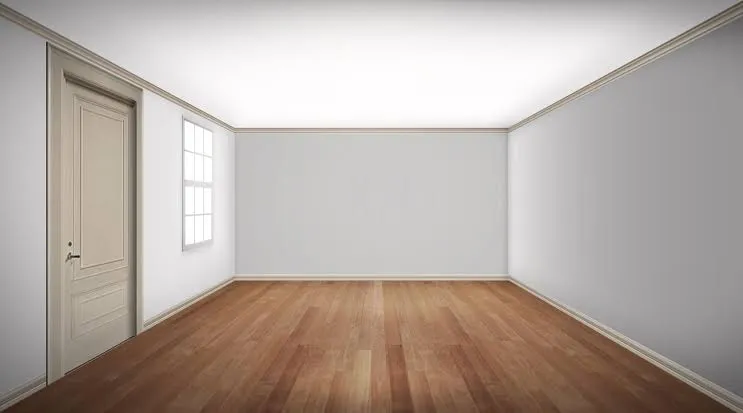 Before
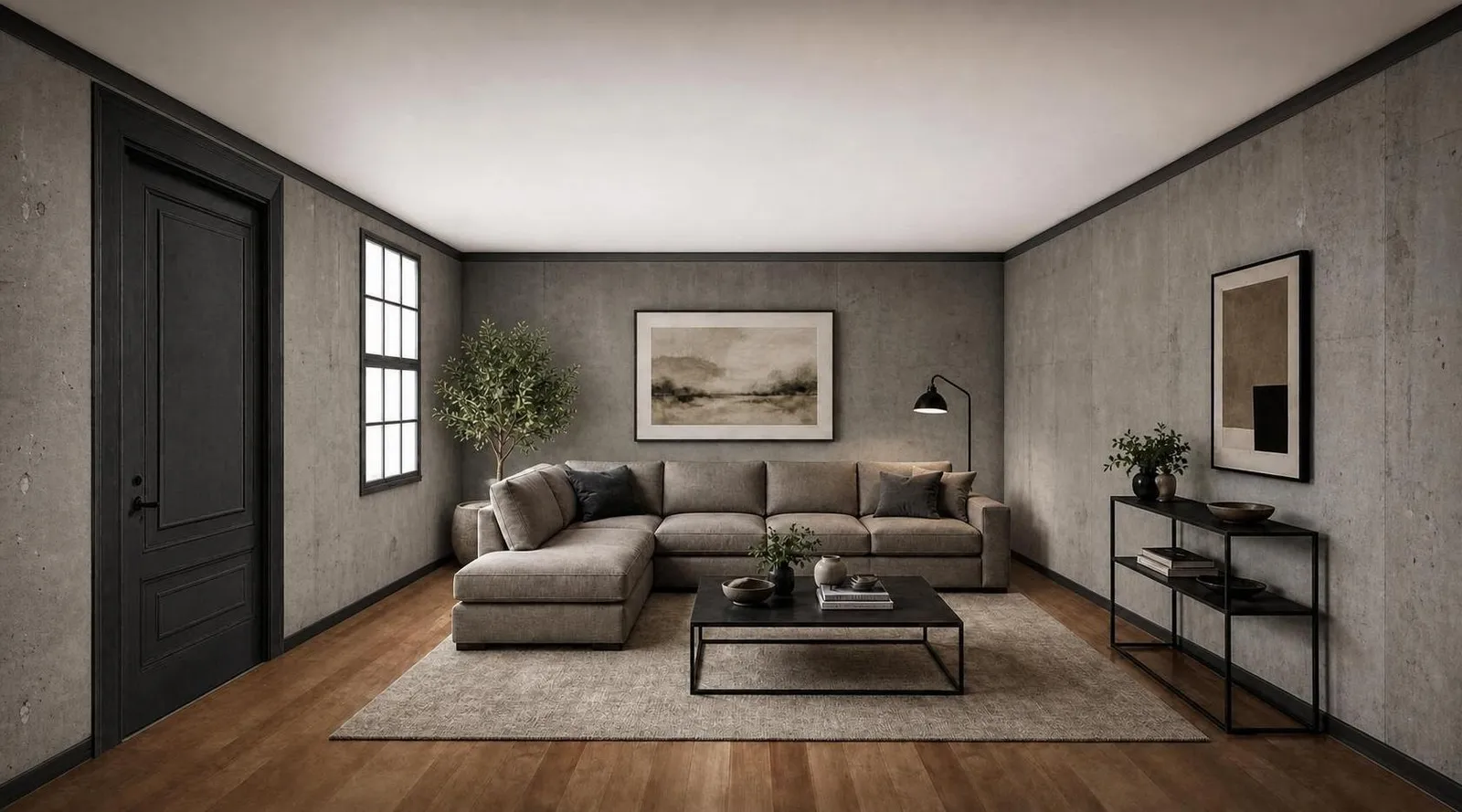 After, with airender
The order of work decides how far apart they drift
When the sofa in the picture and the sofa behind the link disagree, ask one question first: did the tool start from a real sofa? Most did not.
Picture first. Most generators paint furniture that suits your style and look for something similar to sell afterwards. Business of Home wrote in 2023 that AI "only generates approximations of real furniture and decor, not the real thing." Wayfair's Decorify experiment, which hunted its catalog for look-alikes, "sometimes it would confuse an armchair for an ottoman." In that setup the gap between image and list is built in: the drawn piece never existed.
Products first. airender plans the room, picks a real listing for each piece, then generates the image from those products' photos. The list holds the same products. What remains is the normal gap between any picture and any product: an image model paints a new scene, product included, rather than pasting a product photo in. Imersian, which sells 3D visualizers to retailers, says these models are "built to produce a convincing picture, not a faithful copy." OpenAI's image guide warns its model "may occasionally struggle to maintain visual consistency" for brand elements, and the DreamBooth research on placing one specific object in new scenes aims to keep its "key features" rather than every stitch. The step-by-step version is in how airender picks real furniture.
| How the tool works | Example (the tool's own page or trade press) | Is each piece in the picture a real listing? | What the list gives you |
|---|---|---|---|
| Picture first, then a lookalike search | Wayfair Decorify (Business of Home, 2025); HomeDesignsAI Furniture Finder, which offers close alternatives when nothing matches | No | Right type and color family at best, the wrong item at worst |
| Inspiration only | Wayfair Muse shows items "inspired by" the image and, per Business of Home (2025), does not try to link exact SKUs | No | Same mood, different pieces |
| Real-looking furniture, no links | Interior AI's homepage says it "uses actual furniture you could buy at IKEA" but shows no list or links | Not stated | Nothing to compare; you identify every piece yourself |
| Shoppable, method not published | RoomGPT's April 2026 launch: "Every item is real and buyable in one click" | Not stated | Unknown until you open each listing |
| Products first, then drawn | airender | Yes | The same products you see in the picture, with buy links and a room total |
| 3D placement | IKEA Kreativ places IKEA items "sized to scale" in your room | Yes, placed rather than redrawn | IKEA products only |
Same room, two runs, two sets of products
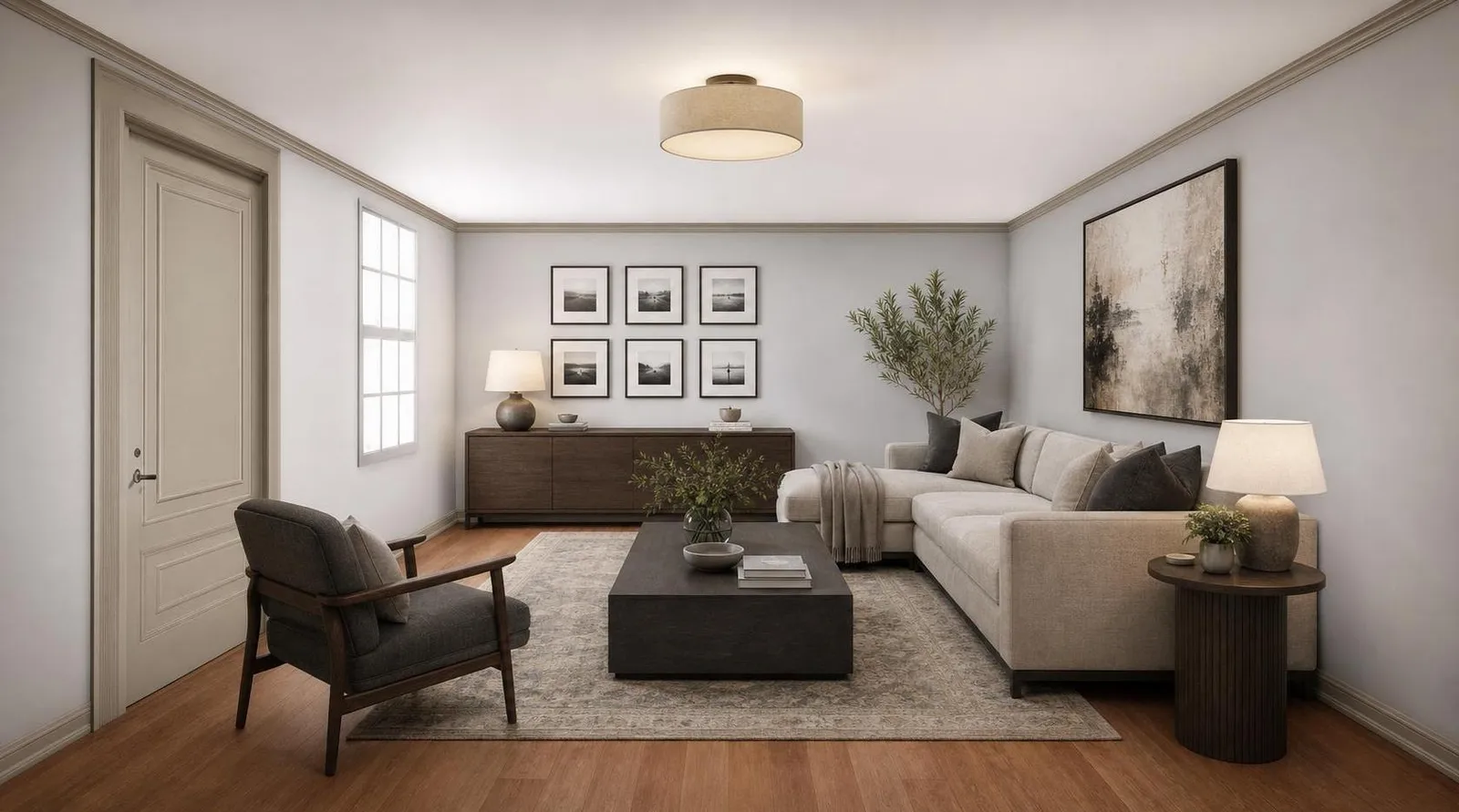
Put this image next to the one at the top. The door, the window and the floorboards are in the same place in both, but almost everything else differs, because each design gets its own products picked first. That is why two designs of one room can look nothing alike, and why you should not mix the list from one with the picture from the other.
The walls tell a second story. In the first run the white walls became gray plaster and the door turned black; in this one they stayed as they were. When you start a design you choose whether walls and floors may change (floors stay as they are by default). If the walls in your result surprise you, that setting is the first thing to look at, not the products.
The 7 gaps you will notice, and which ones matter
Open the listing next to the picture and go down this table. Almost every gap is one of these seven, and only three of them should stop an order.
| What looks different | Why it happens | Does it matter? | What to do |
|---|---|---|---|
| 1. Color is warmer, cooler, lighter or darker | The picture takes its light from your room photo; the listing was shot in a studio; your screen shifts both | Yes if the color family changes (gray turning green). No if it is one shade off | Choose the variant by name, then judge it in daylight customer photos |
| 2. The piece looks bigger or smaller | No AI room image is to scale, and a wide-angle phone photo (iPhone 17 Ultra Wide: 13 mm, 120 degree field of view) stretches anything near the edges | Yes, always | Ignore the picture for size. Measure, then read the listed width, depth and height |
| 3. Legs, buttons or stitching look simpler | Fine details are the first thing a model smooths over at room scale | Only if the detail is why you want it (tufting, turned legs) | Zoom into the listing photos and check the detail is named in the title |
| 4. Fabric reads differently | From across a room, boucle, velvet, linen and chenille all look soft | Yes, for feel and wear | Read the material line and reviews about pilling or sheen |
| 5. Quantity or arrangement differs | Pillows get moved to balance the shot; a pair of chairs can be one listing or two | Rarely. It is styling | Check whether the listing is a single or a set of 2 |
| 6. A rug or pillow pattern is redrawn | Repeating patterns are hard to paint at an angle | Sometimes. A busy rug sets the room's colors | Compare the pattern's colors in the close-up photo, not the motif |
| 7. The buy link opens an Amazon search | In airender, a piece links to a search when it is not listed on your Amazon store | Only for that piece | Treat it as a shortlist: filter by size first, then color and material |
The three deal-breakers are size, color family and material. Those must agree with the listing, and the listing wins every argument with the picture. A sage sofa that looks olive in customer photos, a 96 inch sofa for a 90 inch wall, or flat polyester where you wanted boucle: skip it. Walnut legs that read as oak in the image, or a pillow on the other end, are things you can live with.
Row 7 depends on your country. airender links seven Amazon stores (US, UK, Canada, Germany, France, Italy and Spain), and a piece listed on one store may not be on yours; the map is in airender stores and countries.
Color: light, metamerism and screens
Color is where most people first notice a gap, and three separate things cause it.
Your photo's light
The design inherits the light in your photo. Under fluorescent tubes, per a Benjamin Moore course, "blues and greens are enhanced, while reds and yellows are muted." A dusk photo warms everything.
Metamerism
Two colors that match under one light can split under another. A gray sofa and gray rug that agree in the picture can disagree at 7 pm under warm bulbs. The white-paper test in what color walls go with a gray sofa shows which way your own gray leans.
Your screen
Screens make color by emitting light, while fabric reflects it, and every phone is tuned differently. The same listing looks warmer on one phone than another.
- Pick the variant by its name (Light Gray, Oatmeal), not by matching a thumbnail to the picture.
- Trust customer photos taken in daylight. If most show the cream looking yellow, expect yellow.
- Compare picture and listing on the same screen, at the time of day you use the room.
Order a swatch before a big upholstered piece
Many sofa brands mail fabric samples; Burrow, for example, offers up to five free swatches, with more for a small fee. Pin one to your current sofa and look at it morning and evening.
Fixing one piece without starting over
If one piece is wrong for you, change that piece and keep the rest. In airender you can swap any item for a cheaper or pricier alternate and watch the room total update, or type the change in plain words, such as "oak legs instead of black" or "darker sofa", and only the pieces that changed are picked again. If several pieces miss, the style is the problem, and a restyle picks a fresh set of products for the new look.
With an image from any other tool, there is no list to swap from, so you search instead:
- Screenshot the piece, tap the Lens icon in the Amazon Shopping app's search bar and upload it. You get similar items, not the item in the picture.
- Search by facts rather than looks: "oatmeal linen blend sofa 84 inch" narrows faster than style words.
- Filter by size first. A perfect color in the wrong width is not a match.
The full search routine, with what to type and where, is in how to buy the furniture from an AI room image.
When the gap means a different tool
Some gaps no swap can close, because the question is not what the room looks like but whether it fits.
- Fit to the inch: IKEA Kreativ places items "sized to scale" and can scan your room on LiDAR-enabled devices, but shows only IKEA products. If IKEA is your store anyway, weigh airender vs IKEA Kreativ for planning a room.
- You cannot judge a picture on its own: if imagining the finished room is the hard part, put two designs side by side and choose between them; tools for people who can't visualize decor matches color, size and whole-room gaps to the app that shows each.
- Kitchens and bathrooms: airender restyles the look visually and does not price cabinets, plumbing or contractor work. A kitchen planner or a contractor quote is the right tool there.
- Windows, doors and walls that moved: that is an accuracy question about the room, not the products. How accurate AI interior design is walks through one redesign change by change.
If you are still unsure whether a picture's pieces can be ordered at all, can you buy the furniture in an AI room design shows a real run with its product list. As an Amazon Associate, airender.ai earns from qualifying purchases through the buy links in its shopping lists.
Questions people ask
Straight answers to the follow-up questions.
Why is the sofa in the AI picture a different color than on Amazon?
The picture takes its light from your room photo, Amazon's photos are studio-lit, and your screen adds its own shift. Choose the variant by name, judge it from daylight customer photos, and get a swatch for big upholstered pieces.
Is the furniture in the picture the furniture on my list?
In most AI room tools, no: the furniture is drawn first and the list holds lookalikes found afterwards. In airender, yes: the products are picked first and the room is drawn from them, so the list shows the same pieces.
Why do two designs of the same room have different furniture?
Each design and each restyle gets its own products picked for that look. Keep the list and the picture from the same design together, and use swaps or word edits when you only want one piece changed.
Why did the AI change my walls or door color?
When walls are allowed to change, a design can repaint them and the trim to suit the style. Set walls to stay as they are before you start if you want them kept. Floors stay as they are by default.
Why does a buy link open an Amazon search instead of one product?
In airender, a piece links to the product when it is listed on your Amazon store, and to an Amazon search for that piece when it is not. Filter the results by size first, then by color and material.
Get a design drawn from the products on its list
Upload one photo and get a redesign built from real listings, with a shopping list, buy links and a room total.
Related
- Can you actually buy the furniture you see in an AI room design?
- How accurate is AI interior design? Will your room really look like the picture?
- How does airender design your room with real products?
- How to find and buy the furniture from an AI room image
- Is there an AI tool that designs your room with the exact furniture you can buy?
- Which stores does airender link to, and does it work in my country?
Sources
- Business of Home: 3 big problems AI design apps are racing to solve · checked November 16, 2026
- Business of Home: Wayfair's new tool shows AI's strengths and limitations · checked November 16, 2026
- Imersian: 3D vs AI Room Visualizer: Why 3D Wins for Furniture & Decor · checked November 16, 2026
- OpenAI API docs: Image generation guide · checked November 16, 2026
- arXiv: DreamBooth: Fine Tuning Text-to-Image Diffusion Models for Subject-Driven Generation · checked November 16, 2026
- Benjamin Moore course via BNP Media: The science of visible light and its impact on paint specification · checked November 16, 2026
- Apple: iPhone 17 Tech Specs · checked November 16, 2026
- Burrow: Swatches · checked November 16, 2026
- About Amazon: How to use Amazon Lens · checked November 16, 2026
- IKEA US: IKEA Kreativ customer service article · checked November 16, 2026
- HomeDesignsAI: Furniture Finder · checked November 16, 2026
- Product Hunt: RoomGPT Shoppable AI Interior Designs · checked November 16, 2026
- Interior AI homepage · checked November 16, 2026
Explore more room design guides
Compare AI design tools, estimate furnishing costs, and turn one room photo into a practical plan.
How this page was made
Written by Daniel Borodin, founder of airender.ai. Research and first drafts were AI-assisted; facts about other companies come from their own pages and the sources listed above, checked November 16, 2026. Prices change, so check the store before you buy. Published November 16, 2026, updated November 16, 2026.